AI and Flutter: Preventing Deprecated Code with Rules, Pinning, and CI

AI assistants often return Flutter snippets tied to older SDKs (for example, code using Flutter 3.24 APIs while the ecosystem has moved to 3.38), which breaks builds and wastes developer time; a practical mitigation is to enforce version-aware rules for the AI, plus CI checks, SDK pinning, and automated fixes to keep generated code current. The practices i give you here reduce friction when using AI in Flutter projects.
The problem: why AI returns obsolete Flutter code
AI models generate code from patterns in their training data and from prompts they receive. When the training cutoff or prompt context references older Flutter releases, the model will suggest APIs that are deprecated or removed, producing code that fails to compile or uses suboptimal patterns. Flutter itself evolves frequently; the project maintains a changelog and breaking-change guidance that developers must follow to migrate between releases. The Flutter tooling offers automated fixes to help migrate deprecated APIs, but those fixes require running the right tools against up-to-date SDKs.
How this manifests in practice
- Compilation errors from removed APIs.
- Silent deprecation where code compiles but uses inefficient or insecure patterns.
- Wasted review time as engineers must manually update AI output to match the current SDK.
Practical solutions and workflow
Create a rules file for the AI
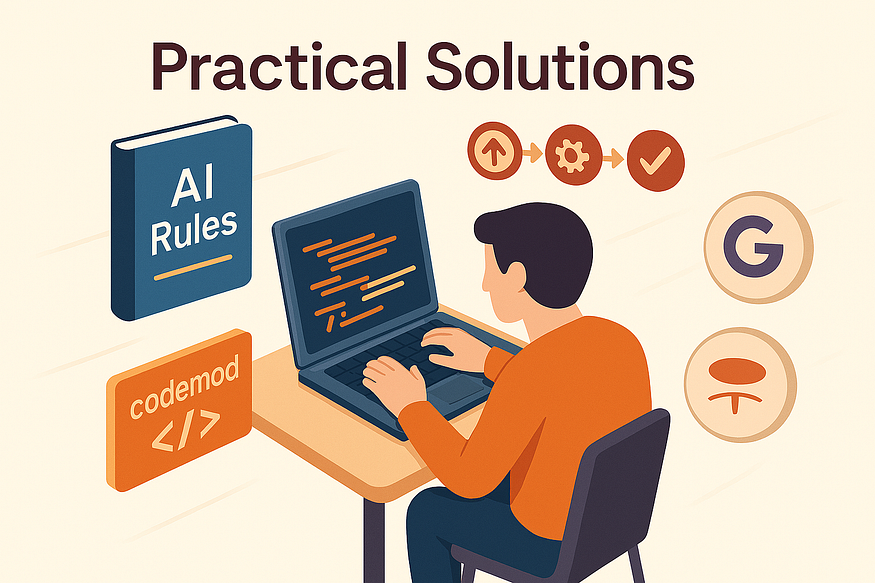
- Maintain a short, versioned rules file the AI must follow : target SDK, forbidden APIs, preferred packages, and style/lint rules.
- Example lines: Target Flutter 3.38; Do not use
FlatButtonorRaisedButton; PreferTextButtonandElevatedButton. - Inject these rules into every AI prompt or the AI tool’s system instructions so outputs are constrained to current conventions.
Use Flutter recommended AI tools
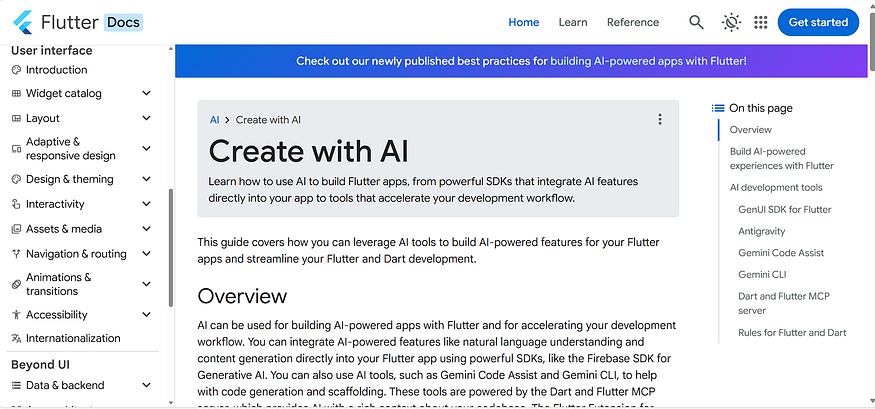
- Prefer tools and integrations that Flutter recommends and maintains, such as Gemini Code and Antigravity, which are designed to work with Flutter idioms and the latest guidance.
- When possible, use these tools or their integrations so generated snippets are more likely to follow current Flutter conventions and recommended migrations. See Flutter’s official guidance for AI tooling: https://docs.flutter.dev/ai/create-with-ai.
- Tools aligned with the Flutter ecosystem are more likely to produce modern, compatible code and to be updated as Flutter evolve
Automated linting and fixes in CI
- Run
dart analyze,dart fix, andflutter fixas part of CI to auto-apply known migrations and flag deprecated usage. - Fail the pipeline on analyzer errors to prevent merging obsolete code.
Prompt engineering and context seeding
- Always include explicit SDK version and package versions in the prompt.
- Provide short examples of correct modern code to bias the model toward current idioms.
Quick comparison of solutions
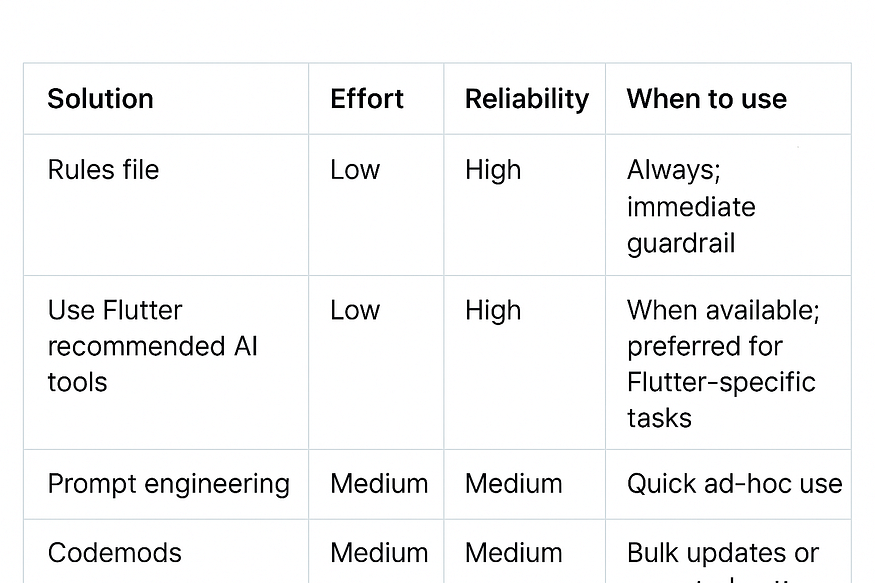
*Bulk updates or repeated patterns
Risks and trade-offs
- Over-constraining prompts can limit creative or novel solutions; keep rules concise and focused on compatibility.
- Automated fixes may not handle semantic changes; always review diffs before merging.
- Relying solely on AI without CI or human review increases the risk of shipping deprecated or insecure code.
Conclusion
AI can be a powerful productivity multiplier for Flutter development, but only if you control the context it uses. Start with a small, versioned rules file you inject into prompts, prefer Flutter-recommended AI tools like Gemini Code or Antigravity, and enforce CI analyzer checks plus codemods for repeatable migrations. Together these steps turn AI from a source of brittle snippets into a reliable assistant that helps you ship modern, build-ready Flutter code